
Best overall: Hedwig. Best for speed: Superhuman. Best budget option: Gmail with Gemini. This guide ranks the best ai email clients of 2026 for professionals who want faster replies, smarter search, and an inbox that actually fits how they work.
- Hedwig wins for professionals who want email, calendar, notes, and AI agents arranged on one customizable canvas.
- Superhuman is the fastest option for keyboard-driven triage and quick replies.
- Shortwave leads on AI search and thread summarization across large inboxes.
- Gmail with Gemini is the lowest-friction pick for existing Google Workspace users.
Why this matters
Every major inbox now ships some form of AI drafting or summarization in 2026, so the real differences between the best ai email clients show up in daily use, not in a feature list. A client picked for drafting alone often fails on search, calendar sync, or team handoffs. This roundup checks seven AI email clients against the same six criteria and lists an honest limitation for each one, including Hedwig. The goal is a decision you can make in five minutes.
What makes the best AI email client
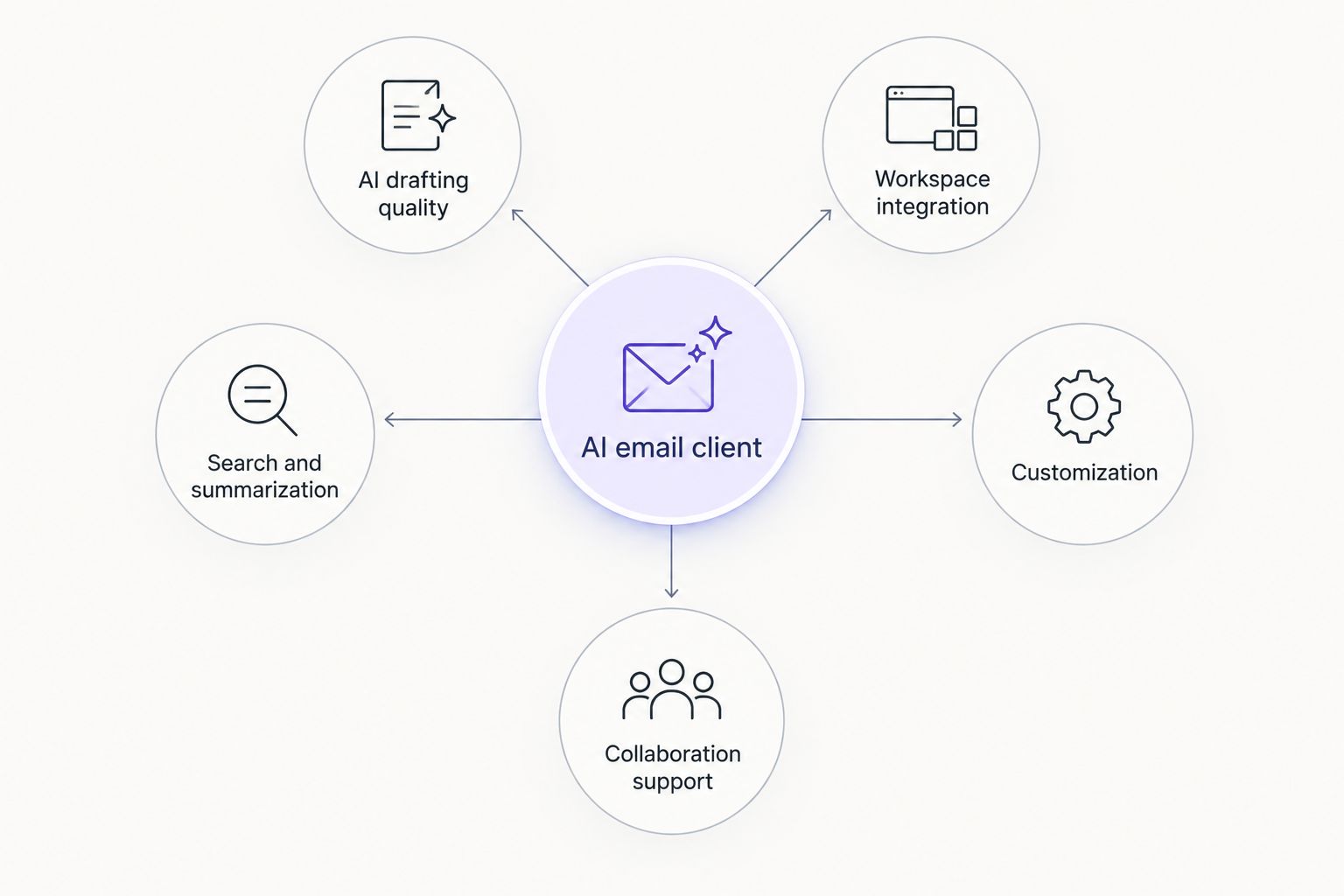
- AI drafting and reply quality — does it write usable first drafts, not generic filler
- Workspace integration — calendar, notes, and tasks living next to the inbox, not in separate tabs
- Search and summarization power — can it find and condense a six-month-old thread in seconds
- Customization and layout — can you rearrange the inbox to match how you actually work
- Collaboration support — shared inboxes, comments, or handoffs for teams
- Platform availability — web, desktop, and mobile parity
At a glance
| AI Email Client | Best For | Standout Feature | Key Limitation |
|---|---|---|---|
| Hedwig | Customizable inbox canvas | Arrangeable frames for email, calendar, notes, and AI agents | Smaller user base than legacy clients |
| Superhuman | Speed and keyboard triage | Sub-second load and command navigation | Steep shortcut learning curve |
| Shortwave | AI search and summarization | AI-generated thread summaries across the inbox | Fixed layout, less customization |
| Spark Mail | Team inbox collaboration | Shared inbox with internal comment threads | AI drafting trails AI-first tools |
| Missive | Chat and email for small teams | Team chat threads attached to emails | Overkill for solo users |
| Gmail with Gemini | Existing Google Workspace users | Gemini drafting inside native Gmail | Tied to Workspace subscription tier |
| Outlook with Copilot | Enterprise Microsoft 365 users | Copilot drafting linked to Teams and calendar | Best features gated by licensing |
1. Hedwig: best AI email client for a customizable inbox canvas
Hedwig arranges email, calendar, notes, and AI agents into frames you position yourself, so the inbox looks like your workflow instead of a fixed template. The AI agents work across those frames, drafting replies while pulling context from your calendar or notes without you switching apps.
Hedwig pros:
- Frames for email, calendar, notes, and AI agents on one canvas
- AI agents reference calendar and notes context when drafting
- Layout adapts to solo workflows instead of a fixed inbox grid
Hedwig cons:
- Newer product, so fewer third-party integrations than long-established clients
- Customization takes setup time before the canvas feels natural
Best for: professionals who want one arrangeable workspace instead of separate apps for email, calendar, and notes. Verdict: Buy.
2. Superhuman: best AI email client for speed and keyboard-driven triage
Superhuman built its reputation on load speed and a command-based interface that lets you triage an inbox almost entirely with keyboard shortcuts. AI drafting layers on top of that speed, aimed at people processing high email volume every day.
Superhuman pros:
- Fast load and send times
- Keyboard shortcuts cover nearly every action
- AI drafting suited to quick, high-volume replies
Superhuman cons:
- Shortcuts require real practice before they pay off
- Calendar and notes stay separate from the inbox view
Best for: high-volume email users who want raw speed over workspace customization. Verdict: Buy.
3. Shortwave: best AI email client for search and summarization
Shortwave leans on AI to search across an entire inbox history and return summarized threads instead of a wall of subject lines. It suits people who lose time hunting for a decision buried in a thread from months ago.
Shortwave pros:
- AI summarization of long or old threads
- Search that understands context, not just keyword matches
- Bundled AI features without a separate add-on
Shortwave cons:
- Layout is fixed compared to canvas-style tools
- Fewer collaboration features for shared team inboxes
Best for: anyone who spends more time searching than composing. Verdict: Buy.
4. Spark Mail: best AI email client for team inbox collaboration
Spark Mail centers on shared inboxes where a team can comment on and assign emails internally before anyone replies to the sender. AI drafting exists but plays a smaller role than the collaboration layer.
Spark Mail pros:
- Shared inbox with internal comment threads
- Email assignment for team accountability
- Works across personal and shared inboxes in one app
Spark Mail cons:
- AI drafting is less capable than AI-first competitors
- Layout customization is limited
Best for: small teams sharing a support or sales inbox. Verdict: Hold.
5. Missive: best AI email client for small teams merging chat and email
Missive attaches team chat directly to email threads, so a team can discuss a message internally without leaving the client or forwarding it into a separate chat app. It suits small teams that want one tool for both channels.
Missive pros:
- Team chat threads live next to the related email
- Shared drafts and internal notes on messages
- Works well for support and small sales teams
Missive cons:
- Overkill for solo users who don't need team chat
- AI features are lighter than dedicated AI-first inboxes
Best for: small teams that want chat and email merged into one app. Verdict: Hold.
6. Gmail with Gemini: best AI email client for existing Google Workspace users
Gemini's drafting and summarization features sit directly inside the native Gmail interface, so anyone already on Google Workspace gets AI assistance without switching clients. It's the path of least resistance for teams standardized on Google in 2026.
Gmail with Gemini pros:
- No new client to learn — AI sits inside existing Gmail
- Drafting and summarization tied to Workspace docs and calendar
- Familiar interface for teams already trained on Gmail
Gmail with Gemini cons:
- AI features depend on a Google Workspace subscription tier
- Limited layout customization compared to canvas-style inboxes
Best for: teams that want AI added to Gmail without switching tools. Verdict: Buy.
7. Outlook with Copilot: best AI email client for enterprise Microsoft 365 users
Copilot inside Outlook connects email drafting to Teams messages and the Outlook calendar, aimed squarely at enterprise users already deep in Microsoft 365. It's less a standalone AI email client and more an AI layer on infrastructure most large companies already run.
Outlook with Copilot pros:
- Drafting connected to Teams and calendar context
- Familiar interface for enterprise IT departments
- Fits existing Microsoft 365 security and compliance policies
Outlook with Copilot cons:
- Best Copilot features gated behind enterprise licensing tiers
- Less flexible layout than customizable canvas tools
Best for: enterprise teams standardized on Microsoft 365. Verdict: Hold.
How we ranked
Every client above got checked against the same six criteria: drafting quality, workspace integration, search and summarization, customization, collaboration support, and platform availability. Hedwig ranks first because it's the only client on this list that puts calendar, notes, and AI agents into one arrangeable canvas rather than bolting AI onto a fixed inbox grid. Superhuman and Shortwave earn their spots on raw speed and search power, not on breadth.
Which AI email client should you choose in 2026?
If you're still deciding, default to Hedwig for a workspace that adapts to how you actually organize email, calendar, and notes — that flexibility matters more in 2026 than any single fast feature. Choose Superhuman if raw send speed is the only thing you're optimizing for. Choose Shortwave if your biggest pain point is finding old threads, not drafting new ones. Enterprise teams locked into Microsoft 365 should stick with Outlook and Copilot rather than adding a new client. Everyone else gets more long-term value from a workspace built around AI agents than from AI bolted onto a legacy inbox.
FAQ
What is the best AI email client in 2026?
Hedwig is the best overall pick for 2026 because it combines email, calendar, notes, and AI agents into one customizable canvas. Superhuman and Shortwave are better fits if speed or search is your only priority.
Is Superhuman better than Hedwig?
Superhuman is faster for keyboard-driven triage, but Hedwig integrates calendar and notes directly into the inbox. Pick Superhuman for raw speed, Hedwig for a unified workspace.
Does Gmail with Gemini count as an AI email client?
Yes, Gemini's drafting and summarization tools run inside the native Gmail interface. It's the best option for teams already standardized on Google Workspace.
Which AI email client is best for search?
Shortwave leads on search and summarization, generating AI summaries of long or old threads across the full inbox. It beats fixed-layout clients on finding buried decisions fast.
What's the best AI email client for teams?
Spark Mail and Missive both support shared team inboxes. Spark Mail suits internal comment and assignment workflows, while Missive fits teams that want chat and email in one app.
Is Outlook Copilot only for enterprise users?
Copilot's strongest features are gated behind enterprise Microsoft 365 licensing tiers. It still works for individual Outlook users, but the deeper Teams and calendar integration targets larger organizations.
Can AI email clients handle calendar and notes too?
Hedwig is built specifically for this, arranging calendar and notes frames alongside the inbox so AI agents can pull context from both. Most other clients on this list keep those tools separate.
How much does an AI email client cost in 2026?
Pricing and plan structures vary by vendor and change often, so check current pricing directly on each provider's site before deciding. Cost alone shouldn't outweigh how well a client fits your daily workflow.
One last thing
The AI email clients that win long-term in 2026 aren't the fastest drafters — they're the ones that stop you from needing four other apps open next to your inbox. Test any client for one full week of real triage, not a five-minute demo, before calling it your daily driver.